
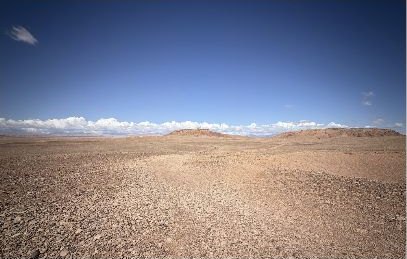
Desert landscapes
Dunes, open horizons and mineral textures.
Explore the library↗6NEMASTER.COM
6NEMASTER brings together professional production software, verified crew and credits, locations, training, industry media and production services built in Morocco for local and international productions.
Our approach
A substantive explanation, with no marketing gloss: the method choices, what’s ready, what isn’t, and why Morocco first.
A platform that claims to run a whole production at once convinces no one and gets used nowhere. Breakdown is the right starting point: it’s painful, highly structured work where AI help is measured immediately — time saved, omissions avoided — and it’s the source of almost every other production data point: scheduling, budget, call sheet. Done well, it pulls the rest along.
The principle is constant across the whole platform: the AI proposes, the professional corrects and validates. No data moves forward without an explicit human pass. This isn’t a token safeguard — it’s the condition for a 1st AD or a line producer to rely on it.
Today the same piece of information — a set, a vehicle, a role — is retyped in the breakdown, then the schedule, then the budget, then the call sheet, often by different people. 6NEMASTER captures it once, links it, and propagates changes. The gain isn’t the software itself: it’s the end of re-entry and of versions that drift apart.
Morocco has a real production industry — national productions, service work for international shoots, studios — structured trades, and no tool designed for its workflows. It’s a ground large enough to test seriously and specific enough not to spread thin. International comes after, with a setup fitted to markets that are actually validated and a natural bridge between Morocco and North America.
6NEMASTER is at prototype stage. The legal structure, the module development timeline, partnerships and the business model are not fixed. This site describes a direction and a first product — not a finalised commercial offer.
No. 6NEMASTER imports the industry formats (PDF, Final Draft, Fountain) and exports to them (PDF, spreadsheets, Movie Magic, Yamdu). It slots in; it doesn’t replace everything at once.
The aim is for each project to stay siloed: corrections specific to one production refine suggestions on that project, not elsewhere. The precise terms will be documented before any real production use.
The prototype is being tested with a few productions in Morocco. To take part, get in touch.
The professional core · Step 01
It all starts with a file. 6NEMASTER accepts the formats production teams actually use: PDF, Final Draft (.fdx), Fountain and structured Word documents. The text is not swallowed as-is: it is split into scenes following continuity conventions — heading (INT./EXT.), location, time of day, then action and dialogue.
It never alters the writer’s text. The script stays the reference; the platform only reads it.
At the end of this step, the production has a structured, versioned script ready to be broken down — without retyping a single line.
The professional core · Step 02
Breakdown is the inventory of everything needed to shoot each scene. Done entirely by hand, it takes days and several passes. Here, the AI produces a first version in minutes.
Every proposal is linked to the line of the script that justifies it: you always know where an element comes from. The AI also flags inconsistencies — a character who speaks without having entered, a set named two different ways, a prop that disappears between two scenes.
SC. 14 — INT. CAFÉ DE LA POSTE — DAY

NADIA (30) pushes the glass door open. Three
CUSTOMERS look up. Behind the counter,
MOKHTAR wipes a glass. The radio crackles
an old Nass El Ghiwane tune. Nadia sets her
motorcycle helmet on the zinc and orders a tea.
The AI read the scene and proposed a first inventory. It’s a draft: fast, but incomplete and in need of refining.
The unit manager refined the helmet, added the forgotten crockery, costumes and motorcycle, turned ‘3 customers’ into silhouettes, and passed the rights question to the music department. Green = human addition · orange = call to make · dashed = refined.
The AI proposes. It does not decide.
The professional core · Step 03
This is the step that separates a gadget from a production tool. The AI’s draft is taken over by the person in charge — 1st assistant director, unit production manager, or line producer depending on the setup.
The interface puts the source text and the AI proposal side by side. For each element you can:
Nothing moves to the next step without this human review. And every correction is reused: the platform learns the production’s own vocabulary — character nicknames, recurring sets — and proposes better on the following scenes.
The craft is not replaced. It is freed from data entry and returned to judgement.
The professional core · Step 04
A corrected breakdown is only useful if the departments recognise it. Validation happens scene by scene and department by department.
Each department — art, costume, locations, HMU, SFX — receives its consolidated list across the whole script: every prop, every costume, in scene order. It confirms feasibility, adds its notes, flags what needs to be built or rented.
It no longer has to be re-entered: it feeds the schedule directly (grouping by set, by cast), the estimated budget (lines linked to elements) and the call sheet.
Who validated, when, on which version of the script. If the script changes afterwards, the affected scenes automatically move back to ‘needs re-validation’ — the thread is never lost.
The professional core · Step 05
Validated data has to come back out in the formats the rest of the team already uses. 6NEMASTER does not lock the production into its own tool.
Exports stay linked to the project. When a new version of the script arrives, the platform shows which exports are stale and what changed since — so a team never works from an outdated breakdown.
This is the end of the first cycle. Detailed scheduling, budget and call sheet come next — once this base is proven on real productions.
The platform · Module
The central module. It starts from the validated breakdown and propagates the data to the other production tools, with no re-entry.
Every script change points precisely to what must be reviewed downstream.
The platform · Module
A reference of Morocco’s natural locations and studios, built for scouting.
Goal: cut scouting time and surface Moroccan locations that are still little known.
The platform · Module
People records and title records built from credits validated by the production — not simply self-declared.
The principle: replace the self-declared CV with a record confirmed by both sides.
The platform · Module
Pass on the on-set trades and support teams’ skill growth.
Training builds on the real tool: you learn the craft where you’ll practise it.
The company · Activity
Showcase productions, trades and cinema in Morocco — the editorial activity carried by the company, independent of the platform’s timeline.
It’s also what lets the company exist and bring people together before every module is ready.
The platform · Module
Build verifiable connections and opportunities between industry players.
Not one more social network, but a directory where every line of a career is confirmed.
Every production begins differently.
Confidentiality
Your project materials remain confidential. Only the authorised team reviewing your request can access them.
Before sharing sensitive documents, upload your own NDA. Our team will review and sign it before you continue your budget request.
No script yet?
A clear brief and production specifications are enough for an initial estimate.
Script, schedule or breakdown?
Upload any available documents when you are ready. Every file is optional.
Production budget request
Production specifications are required. Every document upload is optional.
Location library
Find locations by landscape, region and production requirements.
3 matching locations
Interactive Morocco map
Select a region to reveal locations, travel times and nearby production services.
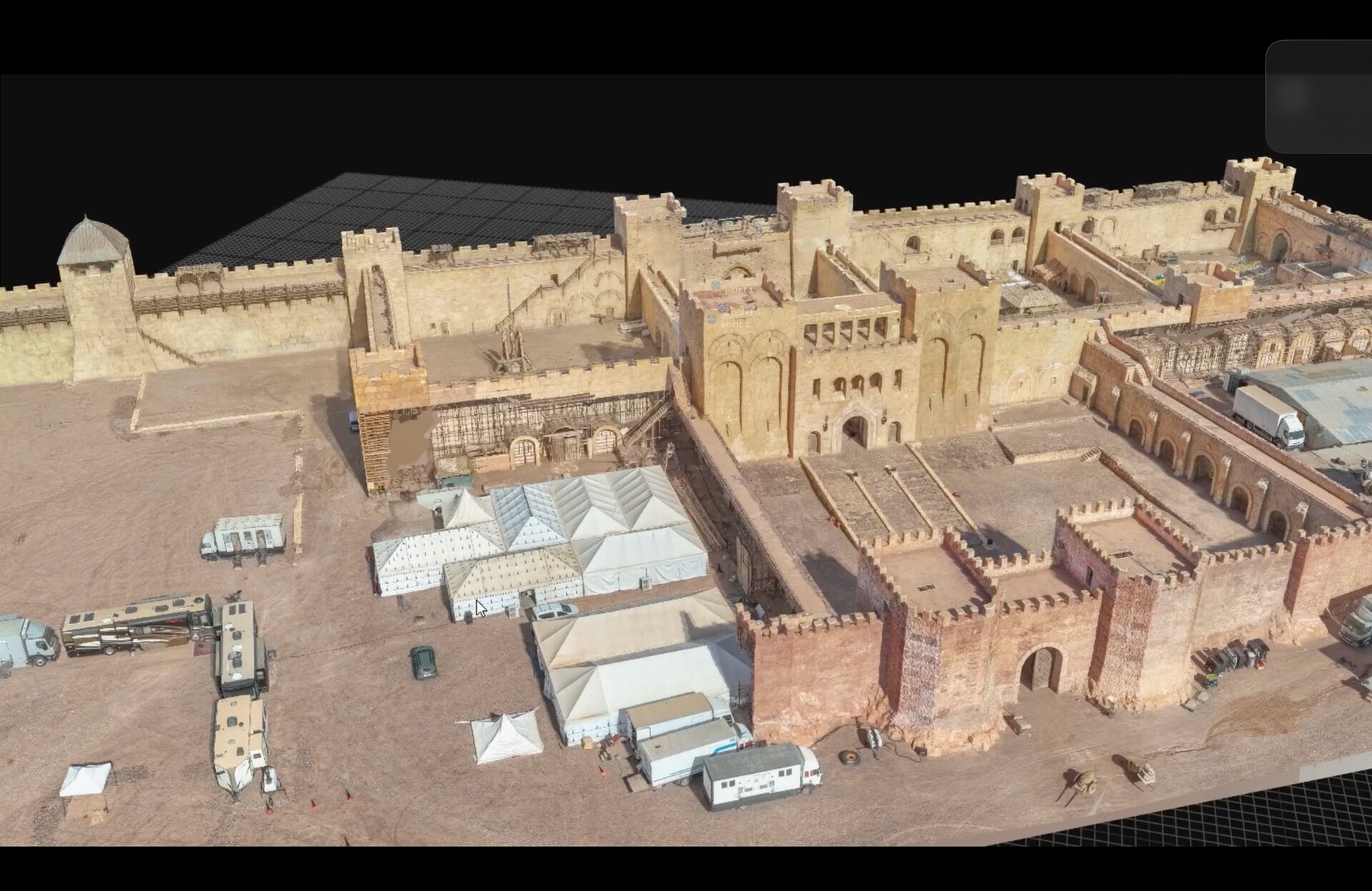
Ouarzazate region
Arid landscape · Period architecture
Road access · Basecamp nearby
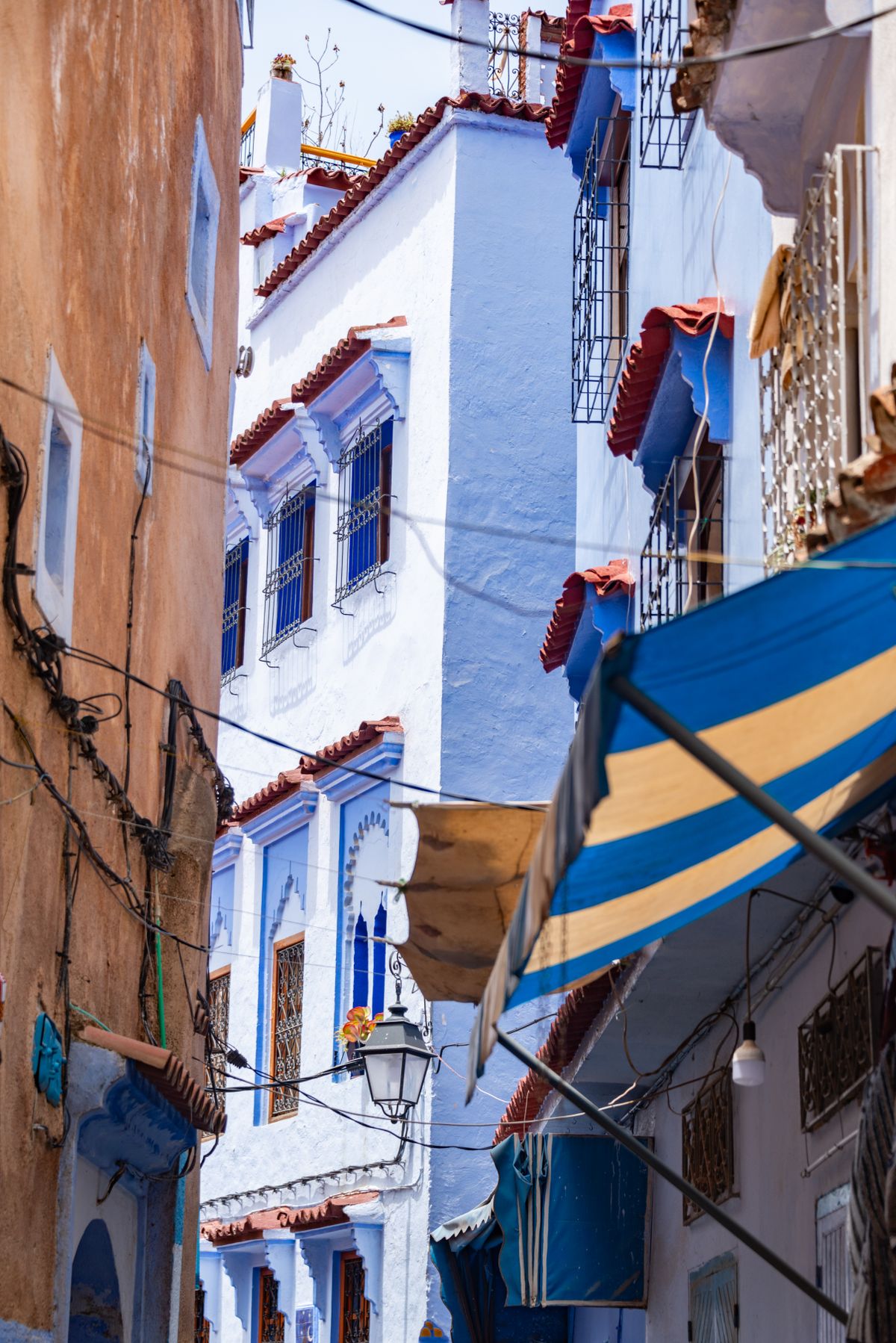
Marrakech region
Traditional streets · Courtyards
Local crew and equipment nearby
No locations match your filters yet — try widening your search or clearing a filter.
6NEMASTER.COM
يجمع 6NEMASTER بين برمجيات إنتاج احترافية، طاقم وأرصدة فنية موثقة، مواقع تصوير، تكوين، إعلام القطاع، وخدمات إنتاج، صُممت في المغرب لفائدة الإنتاجات المحلية والدولية.
6NEMASTER.COM
6NEMASTER réunit un logiciel de production professionnel, des équipes et crédits vérifiés, des lieux de tournage, de la formation, des médias du secteur et des services de production, conçus au Maroc pour les productions locales et internationales.
Notre approche
Une explication de fond, sans habillage marketing : les choix de méthode, ce qui est prêt, ce qui ne l’est pas, et pourquoi le Maroc d’abord.
Une plateforme qui prétend gérer toute une production d’un coup ne convainc personne et ne s’utilise nulle part. Le dépouillement est le bon point de départ : c’est un travail pénible et très structuré, où une aide de l’IA se mesure immédiatement — temps gagné, oublis évités — et c’est la source de presque toutes les autres données de fabrication : planning, budget, feuille de service. Bien fait, il tire le reste.
Le principe est constant sur toute la plateforme : l’IA propose, le professionnel corrige et valide. Aucune donnée ne progresse sans un passage humain explicite. Ce n’est pas une précaution de façade — c’est la condition pour qu’un 1er assistant réalisateur ou un directeur de production accepte de s’appuyer dessus.
Aujourd’hui, la même information — un décor, un véhicule, un rôle — est retapée dans le dépouillement, puis dans le planning, puis dans le budget, puis dans la feuille de service, souvent par des personnes différentes. 6NEMASTER la saisit une fois, la relie, et propage les changements. Le gain n’est pas le logiciel en soi : c’est la fin de la ressaisie et des versions qui divergent.
Le Maroc a une industrie de tournage réelle — productions nationales, services pour l’international, studios — des métiers structurés, et aucun outil pensé pour ses workflows. C’est un terrain assez grand pour tester sérieusement et assez précis pour ne pas se disperser. L’international vient après, avec une implantation adaptée aux marchés réellement validés et un pont naturel entre le Maroc et l’Amérique du Nord.
6NEMASTER est au stade prototype. La forme juridique, le calendrier de développement des modules, les partenariats et le modèle économique ne sont pas figés. Ce site décrit une direction et un premier produit — pas une offre commerciale arrêtée.
Non. 6NEMASTER importe les formats du métier (PDF, Final Draft, Fountain) et exporte vers eux (PDF, tableurs, Movie Magic, Yamdu). Il s’intercale ; il ne remplace pas tout d’un coup.
L’objectif est que chaque projet reste cloisonné : les corrections propres à une production affinent les suggestions sur ce projet, pas ailleurs. Les modalités précises seront documentées avant toute mise en production réelle.
Le prototype est testé avec quelques productions au Maroc. Pour en faire partie, écrivez-nous.
Le noyau professionnel · Étape 01
Tout commence par un fichier. 6NEMASTER accepte les formats réellement utilisés en production : PDF, Final Draft (.fdx), Fountain et documents Word structurés. Le texte n’est pas « avalé » tel quel : il est découpé en séquences selon la norme de continuité — en-tête (INT./EXT.), lieu, moment de la journée, puis action et dialogues.
Il ne modifie jamais le texte de l’auteur. Le scénario reste la référence ; la plateforme se contente de le lire.
À la fin de cette étape, la production dispose d’un scénario structuré et versionné, prêt à être dépouillé — sans avoir retapé une seule ligne.
Le noyau professionnel · Étape 02
Le dépouillement, c’est l’inventaire de tout ce qu’il faudra réunir pour tourner chaque séquence. Fait entièrement à la main, il prend des jours et plusieurs relectures. Ici, l’IA en produit une première version en quelques minutes.
Chaque proposition est reliée à la phrase du scénario qui la justifie : on sait toujours d’où vient un élément. L’IA signale aussi les incohérences — un personnage qui parle sans être entré, un décor nommé de deux manières, un accessoire qui disparaît entre deux séquences.
SÉQ. 14 — INT. CAFÉ DE LA POSTE — JOUR

NADIA (30) pousse la porte vitrée. Trois
CLIENTS lèvent les yeux. Derrière le
comptoir, MOKHTAR essuie un verre. La
radio grésille un vieux tube de Nass El
Ghiwane. Nadia pose son casque de moto
sur le zinc et commande un thé.
L’IA a lu la séquence et proposé un premier inventaire. C’est un brouillon : rapide, mais incomplet et à préciser.
Le régisseur a précisé le casque, ajouté la vaisselle, les costumes et la moto oubliés, transformé « 3 clients » en silhouettes, et transmis la question des droits au département musique. Vert = ajout humain · orange = point à trancher · pointillé = précisé.
L’IA propose. Elle ne décide pas.
Le noyau professionnel · Étape 03
C’est l’étape qui fait la différence entre un gadget et un outil de production. Le brouillon de l’IA est repris par la personne responsable — 1er assistant réalisateur, régisseur général ou directeur de production selon l’organisation.
L’interface met le texte source et la proposition de l’IA côte à côte. Pour chaque élément, on peut :
Rien ne passe à l’étape suivante sans ce regard humain. Et chaque correction est réutilisée : la plateforme apprend le vocabulaire propre à la production — les surnoms des personnages, les décors récurrents — et propose mieux sur les séquences suivantes.
Le métier n’est pas remplacé. Il est débarrassé de la saisie et rendu à l’arbitrage.
Le noyau professionnel · Étape 04
Un dépouillement corrigé n’est utile que si les départements le reconnaissent. La validation se fait séquence par séquence et département par département.
Chaque département — décoration, costumes, régie, HMC, effets spéciaux — reçoit sa liste consolidée sur l’ensemble du scénario : tous les accessoires, tous les costumes, dans l’ordre des séquences. Il confirme la faisabilité, ajoute ses notes, signale ce qui est à fabriquer ou à louer.
Elle n’a plus à être ressaisie : elle alimente directement le planning (regroupements par décor, par acteur), le budget prévisionnel (lignes reliées aux éléments) et la feuille de service.
Qui a validé, quand, sur quelle version du scénario. Si le scénario change ensuite, les séquences concernées repassent automatiquement en « à revalider » — on ne perd jamais le fil.
Le noyau professionnel · Étape 05
La donnée validée doit ressortir dans les formats que le reste de l’équipe utilise déjà. 6NEMASTER n’enferme pas la production dans son propre outil.
Les exports restent reliés au projet. Quand une nouvelle version du scénario arrive, la plateforme indique quels exports sont périmés et ce qui a changé depuis — pour éviter qu’une équipe travaille sur une feuille de dépouillement obsolète.
C’est la fin du premier cycle. Planning, budget et feuille de service détaillés arrivent ensuite — une fois cette base prouvée sur de vraies productions.
La plateforme · Module
Le module central. Il part du dépouillement validé et propage la donnée vers les autres outils de fabrication, sans ressaisie.
Chaque changement de scénario signale précisément ce qui doit être revu en aval.
La plateforme · Module
Un référentiel des décors naturels et des studios du Maroc, pensé pour les repérages.
Objectif : réduire le temps de repérage et rendre visibles des décors marocains encore peu connus.
La plateforme · Module
Des fiches personnes et des fiches œuvres construites à partir de crédits validés par la production — et non simplement déclarés par l’intéressé.
Le principe : remplacer le CV auto-déclaré par une trace confirmée par les deux côtés.
La plateforme · Module
Transmettre les métiers du plateau et accompagner la montée en compétences des équipes.
La formation s’appuie sur l’outil réel : on apprend le métier là où on le pratiquera.
La société · Activité
Valoriser les productions, les métiers et le cinéma au Maroc — l’activité éditoriale portée par la société, indépendamment du calendrier de la plateforme.
C’est aussi ce qui permet à la société d’exister et de fédérer avant que tous les modules soient prêts.
La plateforme · Module
Créer des connexions et des opportunités vérifiables entre les acteurs du secteur.
L’idée n’est pas un réseau social de plus, mais un annuaire où chaque ligne de parcours est confirmée.
Chaque production commence différemment.
Confidentialité
Les documents de votre projet restent confidentiels. Seule l’équipe autorisée qui étudie votre demande peut y accéder.
Avant de partager des documents sensibles, téléversez votre propre NDA. Notre équipe le relira et le signera avant la suite de votre demande de budget.
Pas encore de scénario ?
Un brief clair et les spécifications de production suffisent pour une première estimation.
Scénario, planning ou dépouillement ?
Téléversez les documents disponibles quand vous le souhaitez. Chaque fichier est facultatif.
Demande de budget de production
Les spécifications de production sont obligatoires. Chaque document téléversé est facultatif.
Bibliothèque de décors
Trouvez des décors par paysage, région et besoins de production.
3 décors correspondants
Carte interactive du Maroc
Sélectionnez une région pour afficher les décors, temps de trajet et services de production à proximité.
Région de Ouarzazate
Paysage aride · Architecture d'époque
Accès routier · Base de vie à proximité
Région de Marrakech
Ruelles traditionnelles · Riads
Équipe et matériel locaux à proximité
Aucun décor ne correspond à vos filtres pour le moment — essayez d’élargir votre recherche ou de retirer un filtre.
Location library
Find locations by landscape, region and production requirements.
3 matching locations
Interactive Morocco map
Select a region to reveal locations, travel times and nearby production services.
Ouarzazate region
Arid landscape · Period architecture
Road access · Basecamp nearby
Marrakech region
Traditional streets · Courtyards
Local crew and equipment nearby
No locations match your filters yet — try widening your search or clearing a filter.
Bibliothèque de décors
Trouvez des décors par paysage, région et besoins de production.
3 décors correspondants
Carte interactive du Maroc
Sélectionnez une région pour afficher les décors, temps de trajet et services de production à proximité.
Région de Ouarzazate
Paysage aride · Architecture d'époque
Accès routier · Base de vie à proximité
Région de Marrakech
Ruelles traditionnelles · Riads
Équipe et matériel locaux à proximité
Aucun décor ne correspond à vos filtres pour le moment — essayez d’élargir votre recherche ou de retirer un filtre.
Ouarzazate region
Standing period set with monumental architecture and controlled production access.
Public location profile
One master image and general information are available publicly.
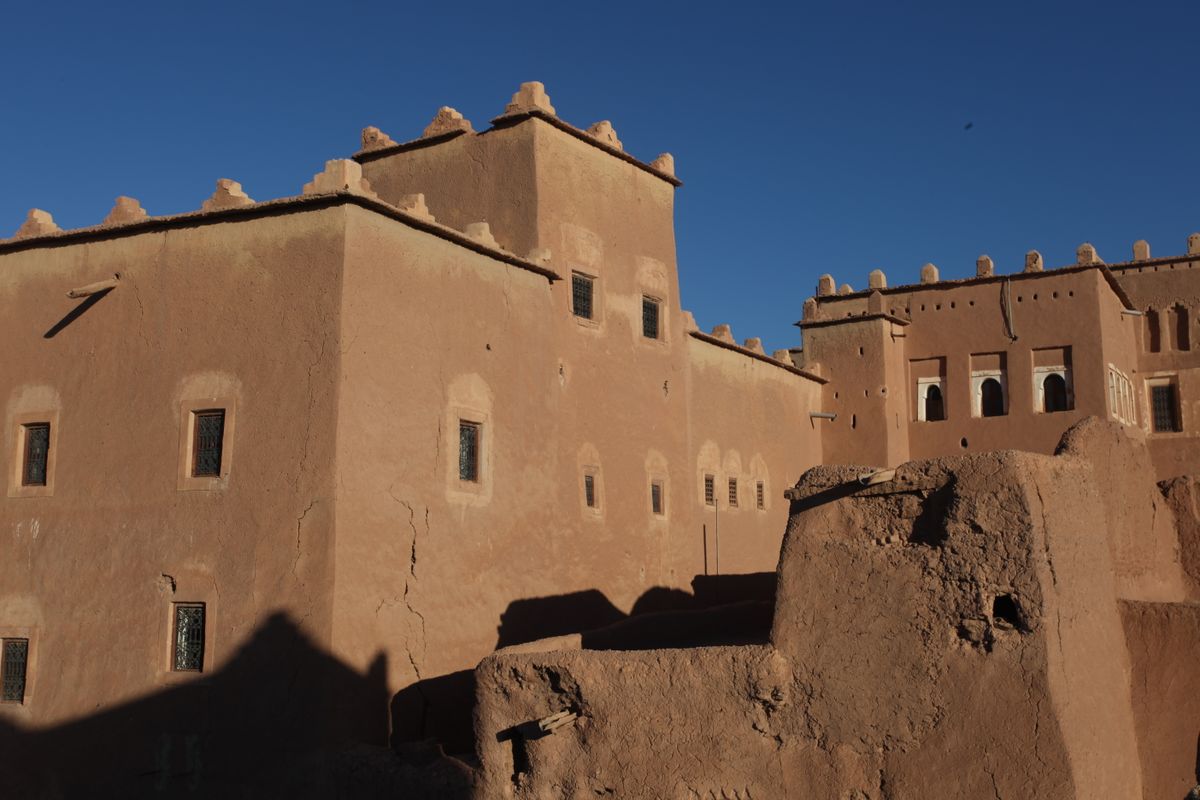
 Premium galleryMembers onlyTechnical photosMembers only
 3D previewLibrary access
Film in Morocco / Request a budget
Request a budget
Tell us what you want to make. Start a production budget request through the existing 6NEMASTER service.
Start with what you know
You can begin with an outline. The production team can then clarify the scope and the materials needed.
Format, creative ambition, intended locations and the services you need in Morocco.
Indicative dates, preparation and shoot duration, crew size and travel needs. Identify what is still flexible.
Target budget, currency, assumptions and any incentive questions. An enquiry is not an approved estimate or booking.

Confidential material
A brief is enough to open the discussion. If an NDA is needed, arrange it before sharing confidential scripts or schedules. Supporting documents can follow through the existing request process.
Continue on 6NEMASTER↗Before you begin
No. This page introduces the request. Your brief goes through the existing 6NEMASTER budget request, so there is only one submission route.
No. Production budgeting and the supply of visual assets, such as HD photography, drone footage or 3D files, are quoted separately.
No. A budget can include incentive assumptions, but eligibility, approval and payment are decided by the CCM under the programme conditions.
Film in Morocco / Production guide
Production guide
A practical starting point for planning a production in Morocco. Build your checklist, then work through the details with your local team.
Your preparation checklist
Use this to structure the conversation with your production team. It is a planning aid, not an application file.
0 of 7 preparation points reviewed
Checklist progress stays in this browser. No project information is sent.
Go a little deeper
Your next step
Bring the brief. Build the plan.
Film in Morocco / Incentives & tax rebate
Incentives & tax rebate
Morocco offers a cash rebate for qualifying foreign productions. Start with the framework, then review your project with the appropriate production and finance team.
The published framework
The programme covers specified foreign film and audiovisual formats. A threshold check alone does not establish eligibility.
Of eligible expenditure under the CCM cash rebate framework.
Published minimum local spending criterion.
Minimum work in Morocco, including set construction.
Entry criteria from the published CCM overview. Project approval and the full programme conditions still apply. Checked 27 October 2026. Official CCM framework ↗
A first look at your project
Use the published thresholds to identify questions for your production team.
An initial orientation
Enter your planned spending and work days to compare them with the published entry criteria.
No figures are sent or stored. This check does not calculate an approved rebate, assess every condition or determine the eligible expense base.
The process
Keep the application and the evidence connected to the production plan.
Review the project format, distribution, investment plan and eligible expenditure. Submit the support request to the CCM before production.
Track local expenditure and keep invoices and bank payment evidence. Separate the eligible expense base from the full Morocco budget.
Prepare the final supporting file for review under the current CCM requirements. Approval, review and payment are separate stages.
Full procedures, deadlines and supporting documentation must follow the official programme materials. CCM support documentation ↗
Common questions
No. The rate applies to the eligible expenditure in Morocco defined by the programme, not to the whole production budget.
No. Applications are submitted to and assessed by the CCM. This page only helps you prepare the conversation.
No. The cash rebate is a support programme managed by the CCM. Tax treatment is a separate matter to review with your accountant or production partner.
You can still film in Morocco. The project may not qualify for the cash rebate, so review the plan with your production partner.
Your next step
Bring the brief. Build the plan.
Film in Morocco / Permits, visas & customs
Permits, visas & customs
Bring the production file, crew travel and equipment planning into the same conversation. Each has its own requirements and responsible authority.
Three workstreams
Start early with your production partner. A filming permit, permission to enter the country and equipment clearance are distinct.
The CCM publishes application requirements by production category. The file can include a script or synopsis, crew contracts, insurance and the initial schedule. Confirm location-specific authorisations separately.
Review nationality, passport, residence, purpose of travel and the intended activity for each person. Use Accès Maroc or the appropriate consulate. Do not assume a tourist entry covers production work.
Prepare an itemised equipment list with serial numbers, values, ownership, arrival and re-export plans. Confirm the appropriate customs route with a broker and Moroccan Customs before shipping.
Official starting points
Requirements depend on the project and traveller. Use official channels for the current application and documentation.
Official resources checked 27 October 2026. This page does not issue permits, determine visa eligibility or clear equipment.
Before you mobilise
No. Location-specific authorisations, crew entry and equipment clearance are separate formalities.
Drones need specific authorisations. Raise it early with your production partner and the competent authorities, before shipping.
It depends on the project, the locations and the crew. Start early and confirm current timelines with the CCM and your production partner.
No. This page collects no documents. Share personal documents only through official channels or your production partner.
Your next step
Bring the brief. Build the plan.
Film in Morocco / Locations library
Locations library
Move from a landscape to a location brief. Explore Morocco, then open the existing library for location records and available production information.
Explore Morocco
These landscape previews introduce the visual range. Access, permissions, precise logistics and scan availability belong to the individual location record.
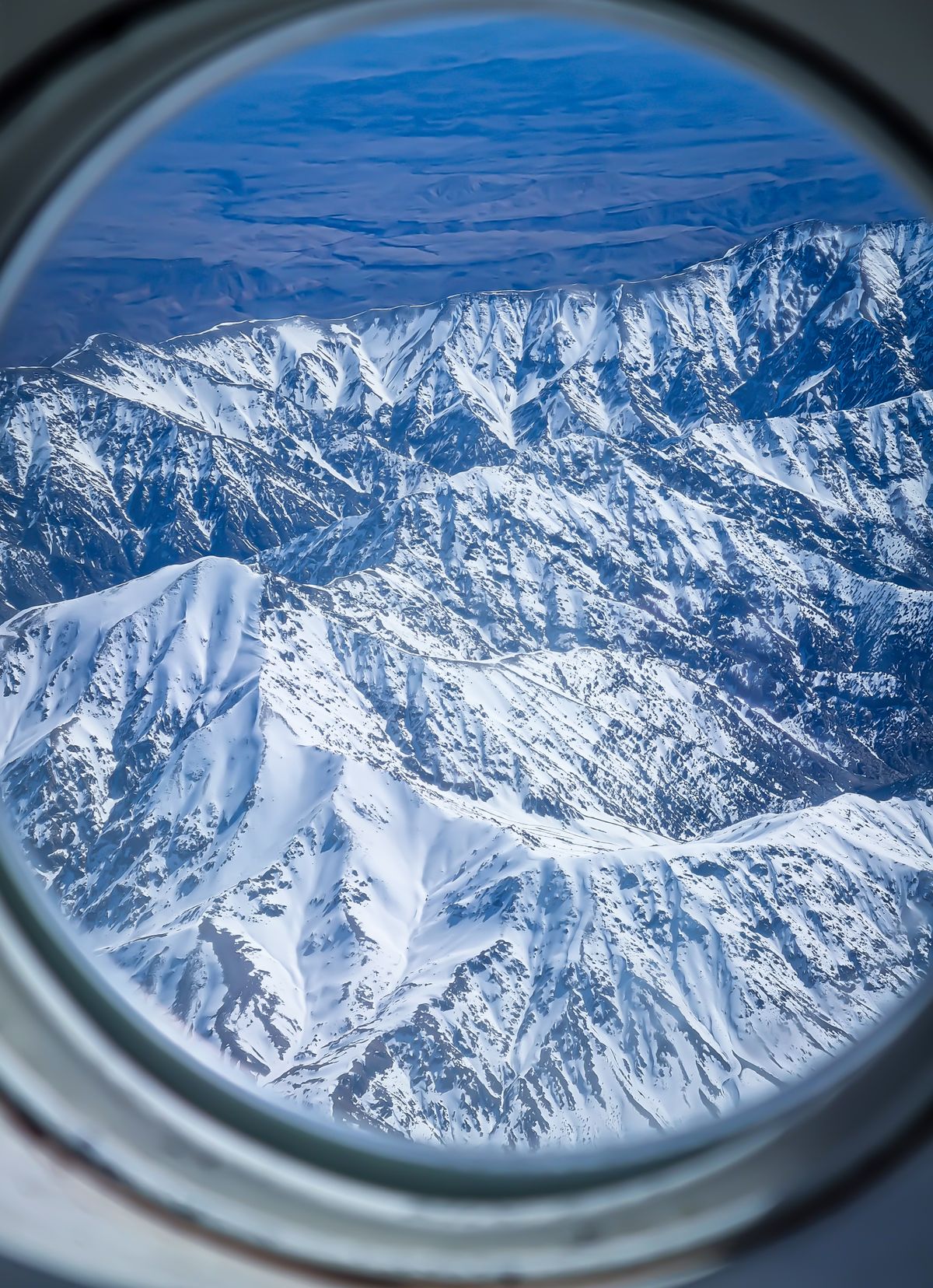
3 landscape previews
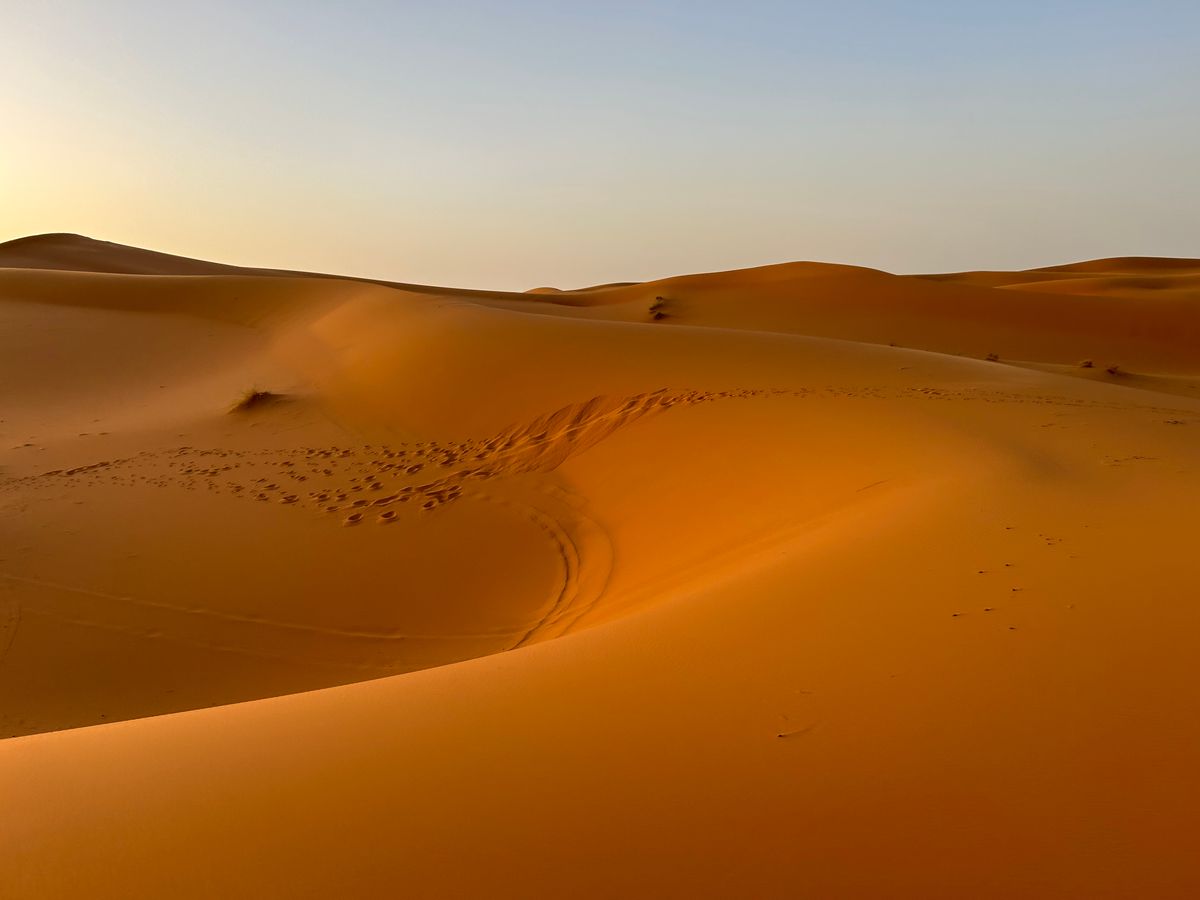
Dunes, open horizons and mineral textures.
Explore the library↗
Atlantic light, coastal terrain and urban edges.
Explore the library↗
Built environments and studio production history.
Watch the 3D scan↗No landscape matches these filters.
Research & production material
Public exploration, library consultation and delivery of production assets are different services.
Explore the master image and general location description.
Use the existing library access for galleries, technical information and precise logistics where available.
Request HD photography, drone footage or 3D files against a defined scope. Asset supply requires a separate quote.
Your next step
Bring the brief. Build the plan.
Film in Morocco / Studios & film sets
Studios & film sets
Explore Moroccan studios and standing sets, and discover the films associated with them. This section is free to explore.
Studios in Morocco
No subscription is required to explore these introductions.
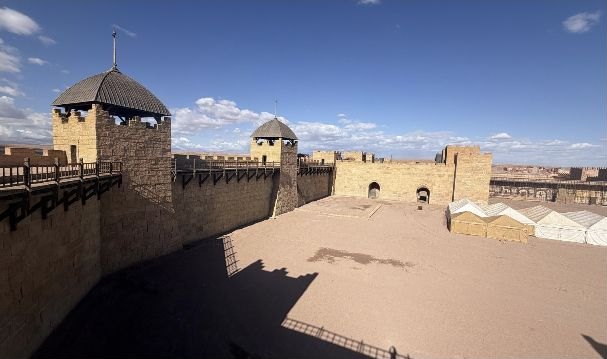
Ouarzazate / Standing film set
Explore the built architecture and courtyards of the standing set through 6NEMASTER’s location photographs. Review current condition, access and proposed production use with the operator.
Watch the 3D scan↗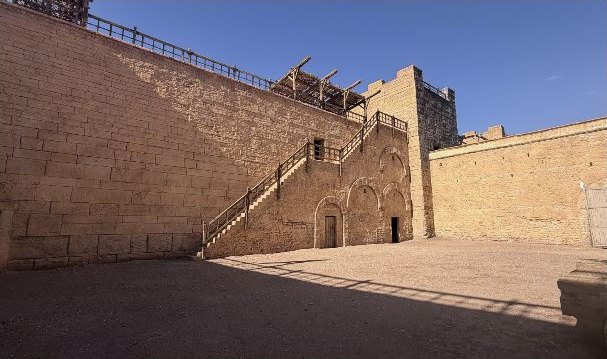
Studio research / Free to explore
Continue your research with Atlas Studios and CLA Studios. Confirm the current facilities and filming arrangements with the relevant operator.
Photograph: Kingdom of Heaven standing set. It does not represent the current facilities of every studio listed.
Plan a production visit
Check the current condition, facilities, operator and permitted uses before making a production commitment.
Standing set, stage, workshop, backlot or production base. Share the dimensions and services your team needs.
Discuss dates, recce access, operational restrictions and costs with the operator or your production partner.
Review set adaptation, technical access, insurance and the permissions needed for the proposed shoot.
Your next step
Bring the brief. Build the plan.
Film in Morocco / 3D location scans
3D location scans
Use available location scans to support the first creative and technical conversation. Confirm coverage, detail and file needs for each location.
A location in three dimensions
Watch the 3D scan fly-through of the standing set in Ouarzazate. A recorded view of the model, with playback and full-screen controls.
The scan video will be available shortly.
From preview to production
A scan can help you explore layout and scale. It does not replace a technical recce or a location access confirmation.
Review the scan’s coverage, capture date and any missing areas in the individual record.
Discuss camera positions, blocking, access and VFX needs with your team. Validate important measurements before relying on them.
Specify intended use, format, resolution and licence needs. Online consultation and delivery of 3D files are separate services.
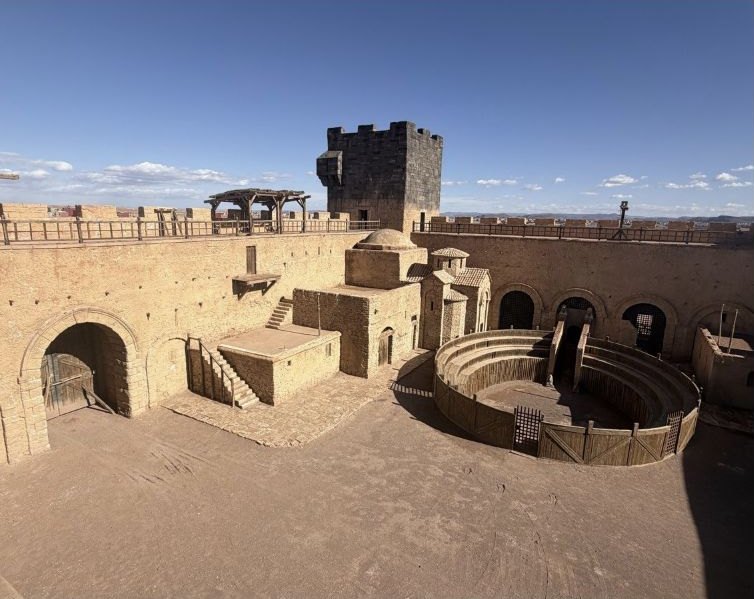
Location-specific availability
Browse the library with the 3D filter enabled. The Kingdom of Heaven set now includes a recorded 3D scan preview. Check the individual record for further scan coverage and deliverables.
Browse the 3D filter↗Questions about 3D
No. Viewing a scan preview and receiving 3D files are separate services. Files are quoted against a defined scope.
No. Scan availability is specific to each location record. Today, the Kingdom of Heaven set has a recorded scan preview.
No. A scan is a research tool. Access, permissions and availability must be confirmed individually.
Your next step
Bring the brief. Build the plan.
Film in Morocco / Find local support
Find local support
Find the kind of support your project needs, from a production partner to crew, equipment and transport. Start by defining the brief.
The right support for the scope
Explore the categories and the information to share with the team.
Production partners
Define the services, responsibilities and local coordination your project needs.
Crew
Search film professionals by department, credits, skills, languages and availability in the existing crew directory.
Suppliers & equipment
Share the equipment list early to confirm local availability, rentals and what travels with the crew.
Transport & accommodation
Plan travel between locations, vehicles and accommodation around the shoot schedule.
Individual profiles will appear here after publication approval. No provider is listed or endorsed in this preview.
A clear working relationship
A directory introduction is a starting point. Agree availability, responsibilities, fees and working terms directly.
Dates, locations, format, required services and the approximate scale of the production.
Ask about relevant experience, local coverage, equipment or crew needs and the proposed point of contact.
Document the scope, rate basis, exclusions, insurance and cancellation terms before committing.
Your next step
Bring the brief. Build the plan.
Studios & Film Sets
Ouarzazate, Morocco. A studio complex with built sets and a history of international productions.
Studio and set photograph
Public studio profile
Series / HBO
Other documented film credits
Public studio profiles, set photos and production galleries
Studios & Film Sets
Ouarzazate, Morocco. Discover the studio and the Jerusalem set created for Kingdom of Heaven.
The studio
Set photograph
The studio includes a reconstruction of Jerusalem used for Ridley Scott’s Kingdom of Heaven.
On screen
Film / 2005 / Ridley Scott
Public studio profiles, set photos and production galleries
Film in Morocco access
Explore locations freely, unlock the full library, or request production-ready visual assets.
Free plan
$0
No payment required
Location library
$49 / month
Or $490 billed annually
Production assets
Custom quote
Priced per request and location
Library access covers online consultation. HD files, drone footage and 3D assets require a separate asset quote.
Create an account or sign in to manage your accessContact
Tell us how we can help with your production, location search or account.
Preview: account and payment are not active yet.
Location library access
Confirm your billing details and review your order before payment.
Order summary
Annual plan selected
Renewal terms
[Billing period and renewal conditions]
Preview: account and payment are not active yet.
Film in Morocco
Your locations, production requests and library subscription in one place.
Preview: account and payment are not active yet.
Ouarzazate region
Standing period set with monumental architecture and controlled production access.
Online viewing included in your library subscription
Exterior master view
Browse the location images online.
Request original files for your production below.
Member location profile
Production assets
Quoted separately from library access
Preview: account and payment are not active yet.
Locations library
Keep your saved locations together and plan the next steps for your production.
1 saved location
Preview: account and payment are not active yet.
Production assets
Tell us what your production needs. We will confirm availability and prepare a tailored quote.
Preview: account and payment are not active yet.
Assets & recces
Track asset requests and recces, review quotes and access deliveries.
Ouarzazate region
HD photos, drone footage and 3D scan
We are checking availability and preparing your quote.
No quote available yet
Visit request · Date to be confirmed
Preview: account and payment are not active yet.
Production assets quote
Review the proposed assets and delivery terms before approving your quote.
Back to request detailsCustom production quote
Approval confirms the scope and terms shown in your quote.
Production assets are quoted separately from library access.
Preview: account and payment are not active yet.
Private delivery
Browse and download the assets included in your approved production quote.
Back to delivery summaryLocation photography
Aerial video material
Scan files and supporting documentation
Access period
As specified in your delivery terms
Usage rights
Use the files within the scope agreed in your approved quote.
Preview: account and payment are not active yet.
Location visit
Tell us when you would like to visit and what your team needs to assess.
Preview: account and payment are not active yet.
Recce confirmed
Kingdom of Heaven Standing Set, Ouarzazate region
Back to my requestsAccess instructions
[Confirmed entry route and check-in instructions]
Equipment & requirements
[Agreed equipment, visitor requirements and site conditions]
Visit costs and terms
As agreed in your visit confirmation
Preview: account and payment are not active yet.
My account
Manage your library plan, billing details and invoices.
Payment method
[Payment method on file]
Billing details
Manage your billing contact and invoice address.
Edit billing detailsHD files, drone footage and 3D scans require a separate quote.